Easy Floor Plan Creator
for Mobile & Desktop
Anyone can design a floor plan intuitively. Mobile-friendly, no registration required, start free.
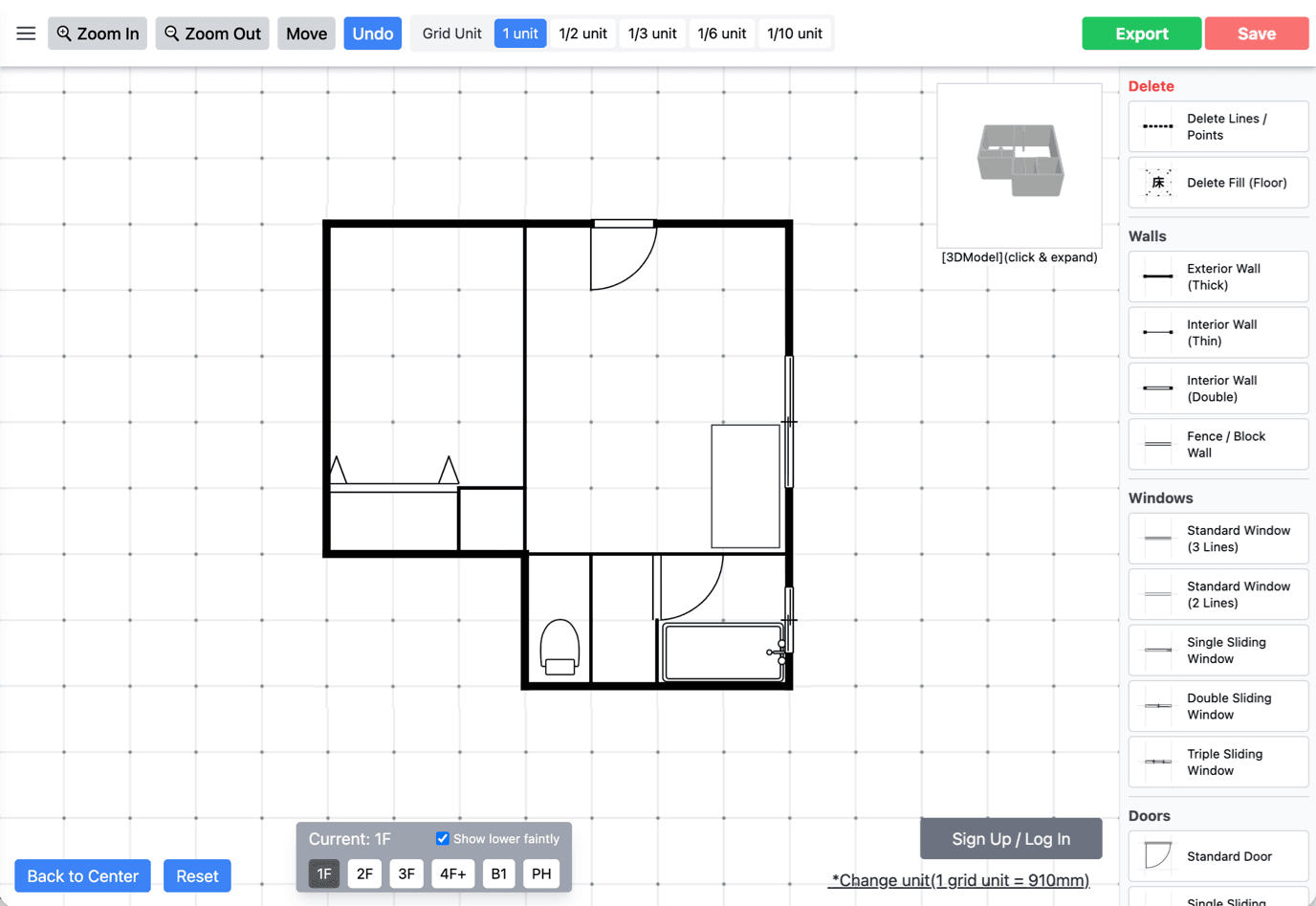
Perfect for These Use Cases
Home Renovation Planning
Try different wall/door layouts before remodeling.
First-Time Home Builders
Great for beginners who want to understand floor plans.
Real Estate & Architecture
Create layouts to share with clients and teams.
Key Features
Make | Core Drawing Tools
Add Walls, Doors & Windows
Combine essential parts to create a clean floor plan.
Place Furniture & Fixtures
Great for layout planning and checking flow.
Drag to Edit
Smooth editing with mouse or touch.
Polish | Improve Look & Precision
Rotate & Resize
Adjust orientation and size with simple controls.
Clean, Aligned Results
Designed to reduce distortion and messy layouts.
Works on Any Device
Same feeling on mobile, tablet, or PC.
Use | Export, Share & Apply
Export as PNG
Download and share in a convenient image format.
Useful for Proposals
From quick drafts to client-ready planning.
Cloud Save (Paid)
Continue editing across devices and compare versions.
Want faster editing and a smoother workflow? Try the Madory iOS app.
 Save, share, and edit more comfortably
What You Can Do with Madory (Floor Plans & Layouts)
Intuitive Editing from the Start
Designed around tap and drag. Place walls, doors, and windows with minimal friction — even if you’ve never drawn a floor plan before.
- Add walls, doors, windows freely
- Place furniture & fixtures for layout planning
- Rotate and resize naturally
Speed and Precision in Balance
Built to help you produce clean results quickly — not just a rough sketch, but something you can actually share and discuss.
- Cleaner alignment with fewer distortions
- Easier even for more complex layouts
- Works for drafts and proposal-ready visuals
High-Quality Export & Sharing
Download your floor plan as an image and share it instantly — great for meetings, notes, and presentations.
- Export as PNG for email, chat, and docs
- Clear enough for proposals and reviews
Cloud Save & Continue Anywhere (Paid)
Save to the cloud for seamless cross-device editing and easy comparison. Upgrade to Pro / Biz only when you need it.
- Resume and compare versions anytime
- More access and workflow options
- Team-friendly usage (Biz)
Typical Scenarios
- Create a draft before meeting with builders
- Compare wall/door positions for renovation planning
- Simulate furniture layouts before moving in
- Make proposal visuals for real estate clients
- Training and learning for architecture staff
- Share data across a team (Biz plan)
What Users Say
“Super helpful for sharing ideas before meetings — it made discussions much smoother.”
Planning a new home (30s)
– S
“Perfect for quick drafts before proposals. It speeds up comparisons and client communication.”
Real estate agent
– Y
Frequently Asked Questions
Q. Is Madory really free?
- Drawing: free, no registration required
- Export (PNG): registration may be required at export time (free account is OK)
- Cloud save and cross-device continuation: paid (Pro / Biz)
Q. Does it work on smartphones and tablets?
Q. Can I share my floor plans?
- Send via chat, email, or messaging apps
- Insert into documents and proposal materials
Q. Can I create accurate layouts?
Q. Can I use it for real estate or renovation work?
Q. What do I get with a paid plan?
- Cloud saving and cross-device editing
- Expanded access and workflow options
- Team and business usage (Biz)